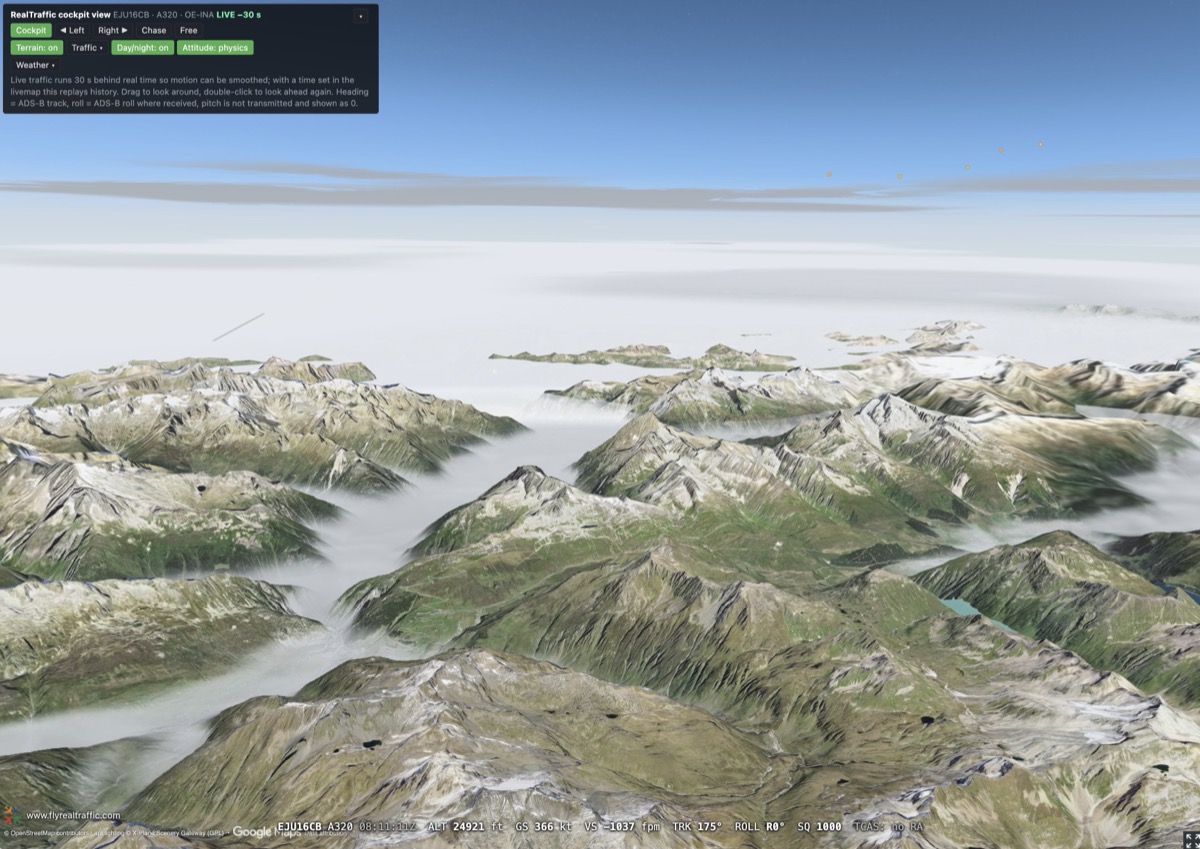
Riding along in the cockpit of an A320 at FL249 over the Alps, real undercast filling the valleys below. This is RealTraffic now.
Dear fellow aviator,
I have started this newsletter over four times, each time unable to decide which of the amazing new features to showcase first! I'm equally excited about each of the features, so I'll just settle on a general overview in this newsletter and wording in the broadest terms: The livemap has been rebuilt from the ground up, and everything I have been heads-down working on for months is now live.
Traffic and weather used to be two separate maps. They are one map now - and that map has grown a full weather stack, real weather radar, significant weather charts, live SIGMETs, TCAS resolution advisories decoded straight off the Mode S downlink, a 3D cockpit view of any aircraft in the sky right now, and a flight analysis workbench that I genuinely think is an incredibly professional tool useful for incident analysis, but equally every pilot and flight school out there that wants to debrief their flights in amazing detail.
Almost all of it is already included in the subscription you have. A few things are Professional Edition only, and I will flag those as I go. Here is the tour.
One map, and everything is on it
The livemap is now the single place where traffic and weather live together. Traffic toggles on and off with one button, so you can use it as a pure weather map when that is what you want. The time slider at the bottom scrubs the whole scene - traffic, weather, satellite, radar, everything - backwards through the last two weeks. Historical scrub back beyond live is a Pro feature; on Standard the map is live.
Weather you can actually fly around
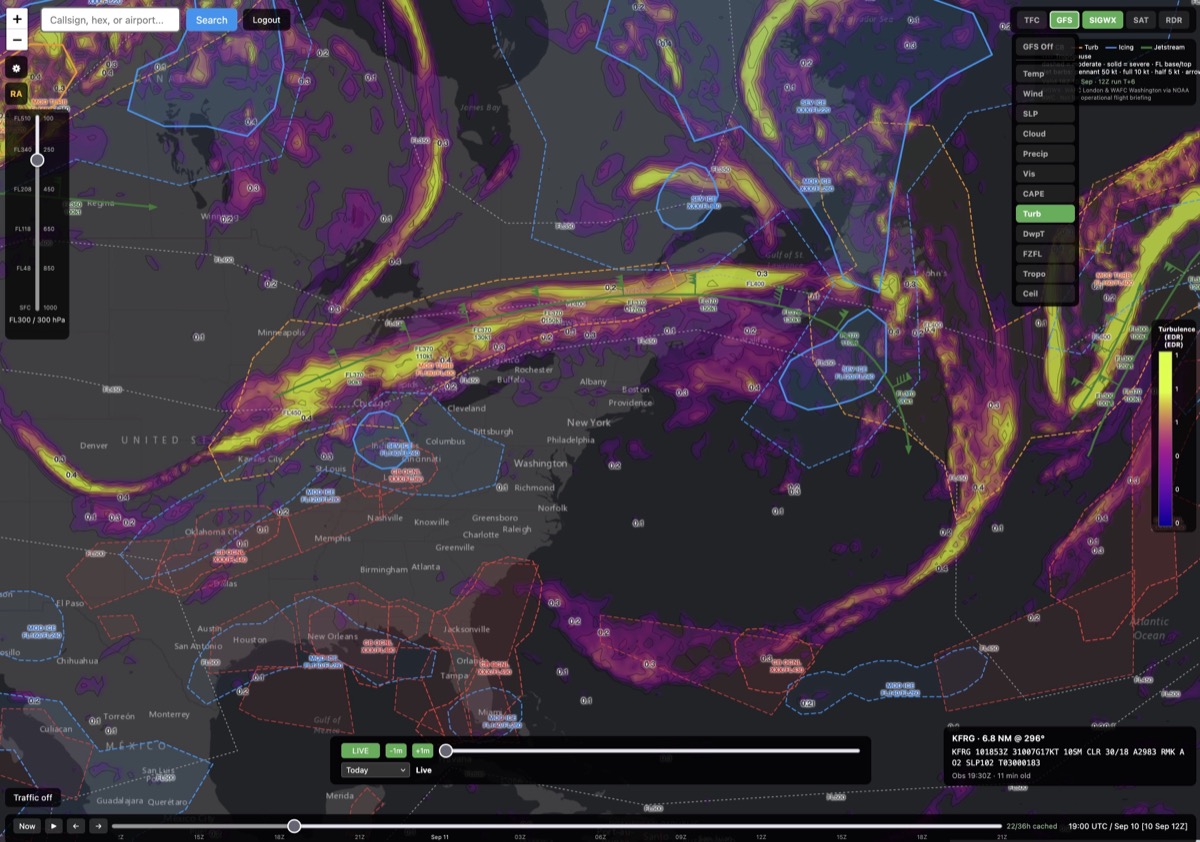
Turbulence at FL300 along the jet over the northeastern US, with the SIGWX turbulence and icing areas drawn on top. Every parameter is selectable by altitude and can be scrubbed in time.
The GFS panel gives you wind, temperature, sea level pressure, cloud, precipitation, visibility, CAPE, turbulence, dew point, freezing level, tropopause and ceiling - each of them at the altitude you select, and each of them can be scrubbed in time. Pick your cruise level, turn on wind or turbulence, and the jet stream you are about to fight is right there.
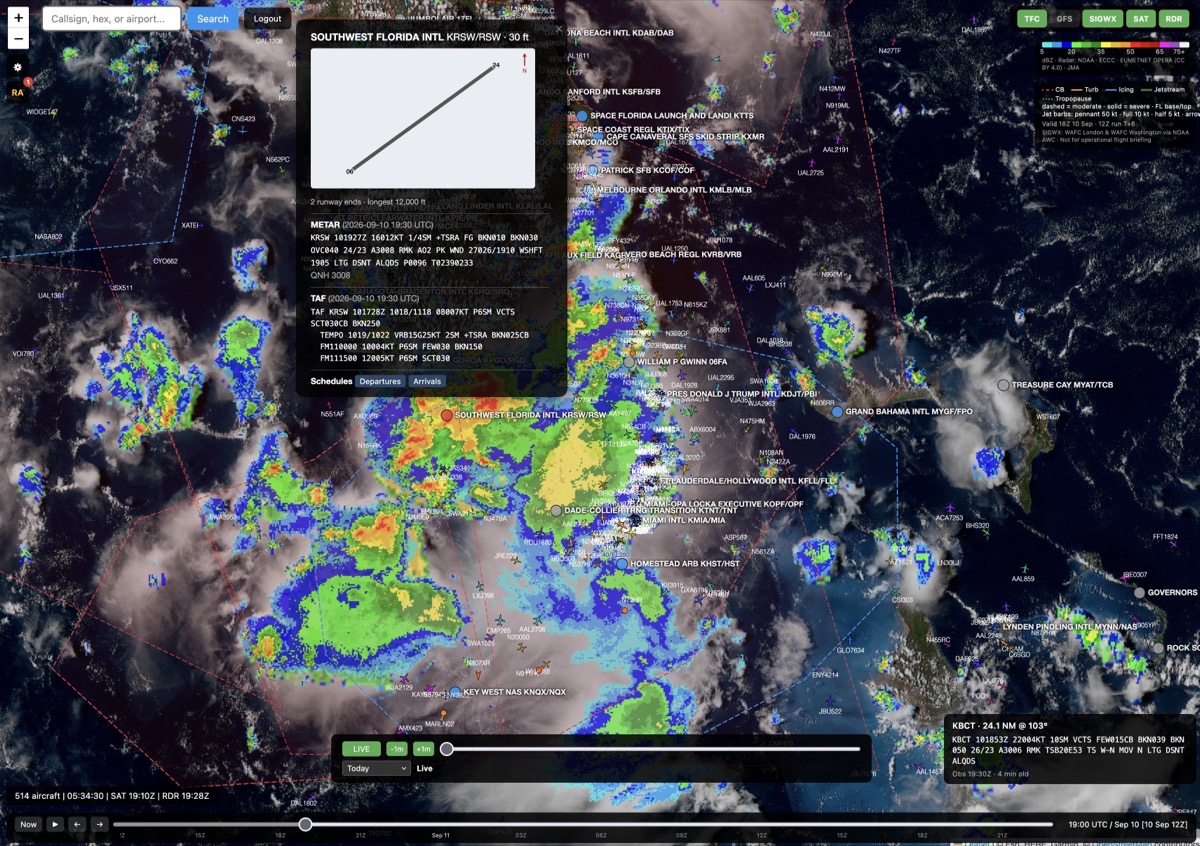
A thunderstorm afternoon over Florida: live true colour satellite, real radar, and the METAR and TAF for Southwest Florida, all in one place.
On top of that sit the observed layers: live satellite imagery in true colour and infrared, and observed cloud tops assembled from all five geostationary satellites every ten minutes. And real weather radar - actual composite reflectivity in dBZ from NOAA's NEXRAD network across the United States and all the way out to Guam, Environment and Climate Change Canada, the EUMETNET OPERA composite covering Europe, the Japan Meteorological Agency and the Malaysian Meteorological Department - not a simulation of it. Satellite and radar are Pro; the GFS overlays are in Standard.
SIGWX charts and live SIGMETs
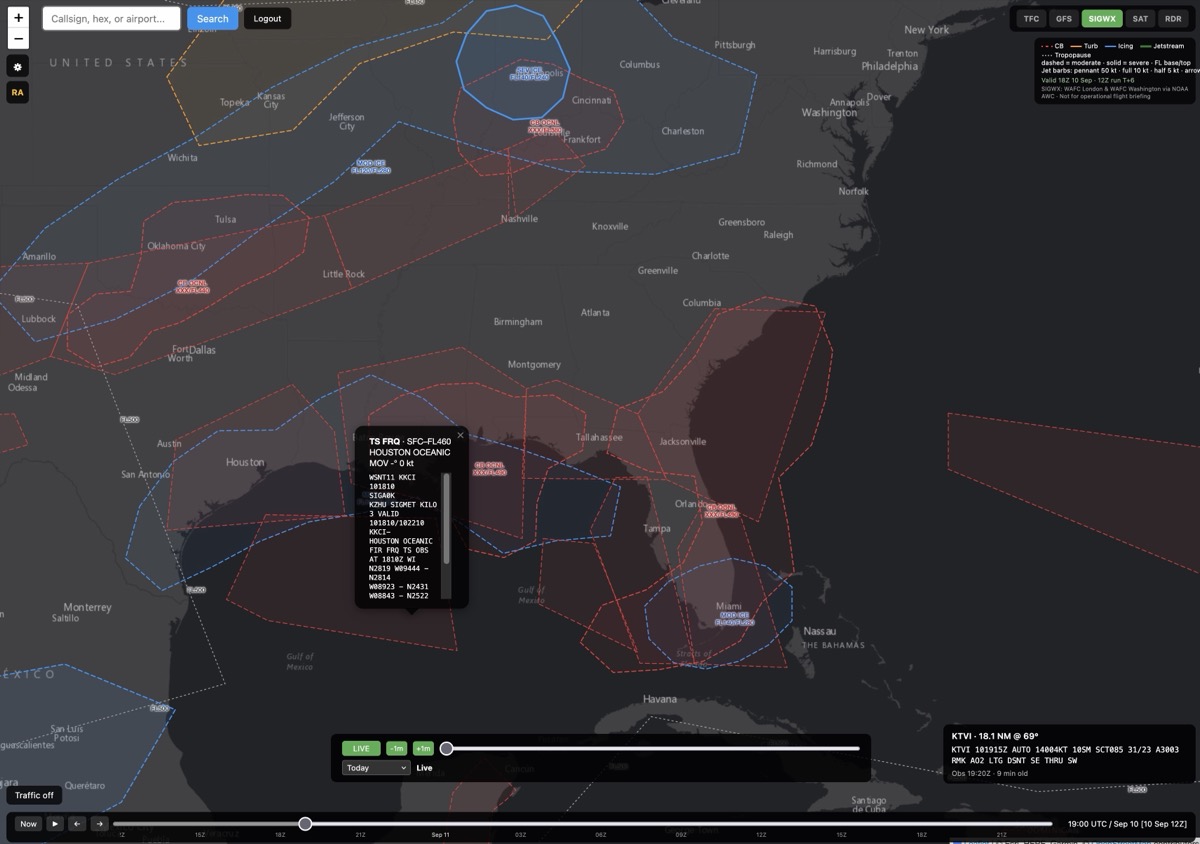
SIGWX over the southeastern US, convective areas in red and turbulence in blue - with a live SIGMET opened to read the actual advisory text.
The significant weather forecast charts the airlines flight-plan with - the WAFC SIGWX products issued by the two World Area Forecast Centres in London and Washington - are now drawn straight onto the map: jet cores, turbulence and icing areas, convective zones, fronts, tropopause heights.
Next to them are the live SIGMETs: whatever is actually being issued right now. Volcanic ash clouds (with the erupting vents marked), thunderstorm areas, severe turbulence and icing, tropical cyclones. If you have ever wanted to plan a flight around a real ash cloud, that is now a thing you can do in about ten seconds.
TCAS/RA events as seen from the cockpit
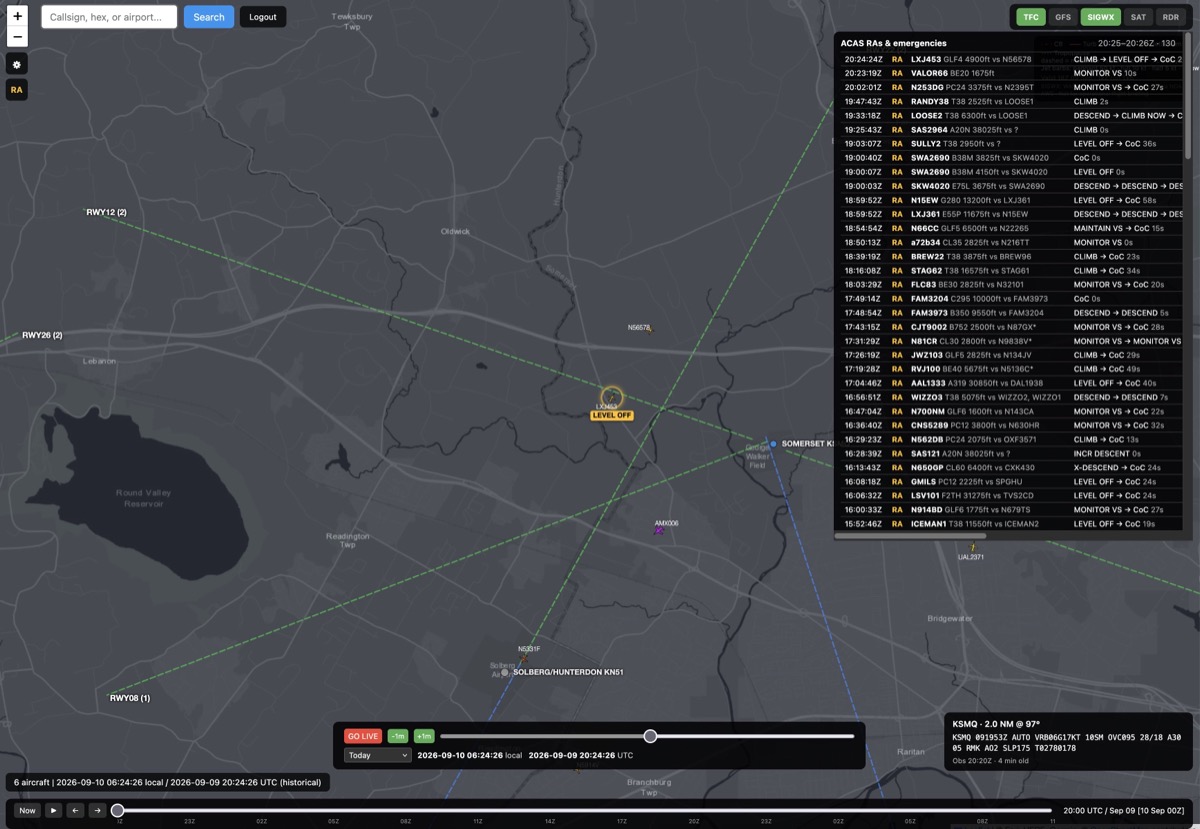
The RA panel, live. Every line is a real TCAS resolution advisory, decoded from the aircraft's own transponder replies.
This is the one I am most excited about, so bear with me.
When two aircraft get too close, their TCAS units talk to each other and tell the crews what to do: climb, descend, level off, monitor vertical speed. Those advisories are broadcast on 1090 MHz, and RealTraffic now decodes them out of the raw Mode S messages and puts them on the map as they happen - along with emergency squawks. Click the RA button and you get the running list, the two aircraft involved joined by a dashed line, and the exact advisory sequence each crew was given.
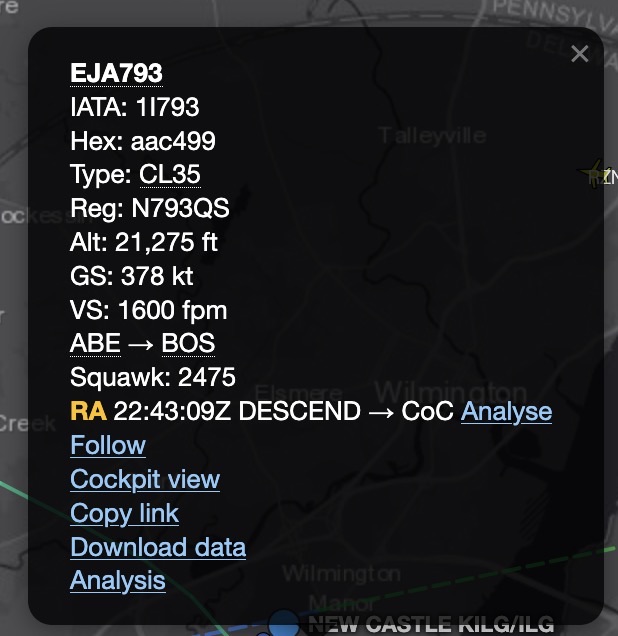
An aircraft that has just had a resolution advisory: the RA line shows the advisory sequence, and Analyse opens the encounter in the workbench.
Click any aircraft that has had an advisory and its popup carries an RA line with the advisory sequence and the time it was issued - and next to it an Analyse link that opens the whole encounter in the Flight Analysis Workbench, both aircraft loaded and bracketed on the moment of the advisory. Seeing the advisories on the map is Standard; analysing them requires Pro.
Standard shows you live advisories plus the last 24 hours; Pro goes back 14 days.
Sit in the cockpit of any flight
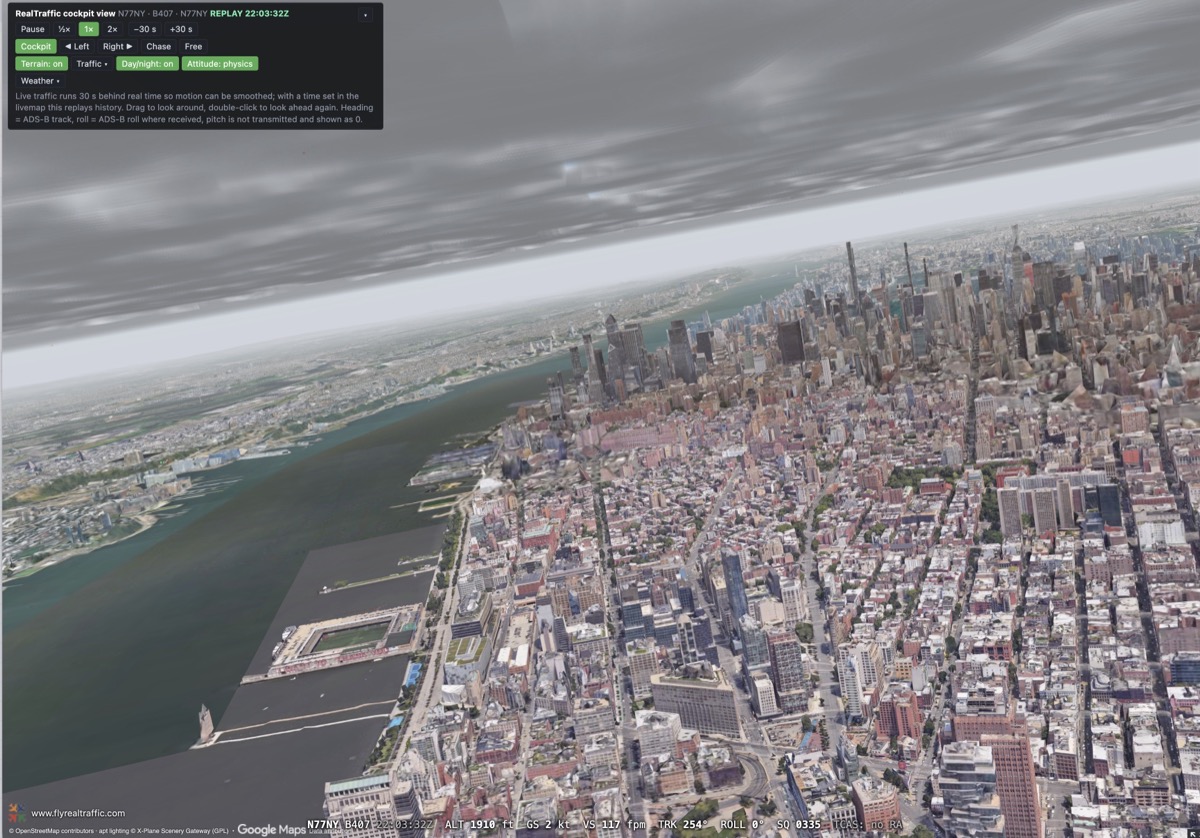
Down the Hudson at 1,900 feet under a real overcast, in the seat of a helicopter that was genuinely there.
Pick any aircraft on the map, click Cockpit view in its popup, and you are sitting in it. Real terrain and real photogrammetry, real weather from the METAR and GFS area weather it is flying through, real day and night, and the other traffic around it. You can look left, look right, drop back to a chase view, or break away and fly the camera yourself. Live flights run 30 seconds behind reality so the motion can be smoothed, and anything from the last two weeks can be replayed at half, normal or double speed.
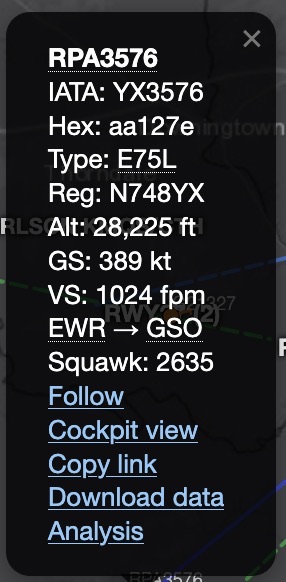
Every aircraft popup on the map: Follow, Cockpit view, Copy link, Download data, Analysis.
At night the airports light up properly - approach lighting, runway edge and centreline, touchdown zone, taxiway greens, apron floods, all of it baked from real airport lighting data. Roads and cities are lit up too, worldwide, so a night approach looks like a night approach wherever you happen to be.
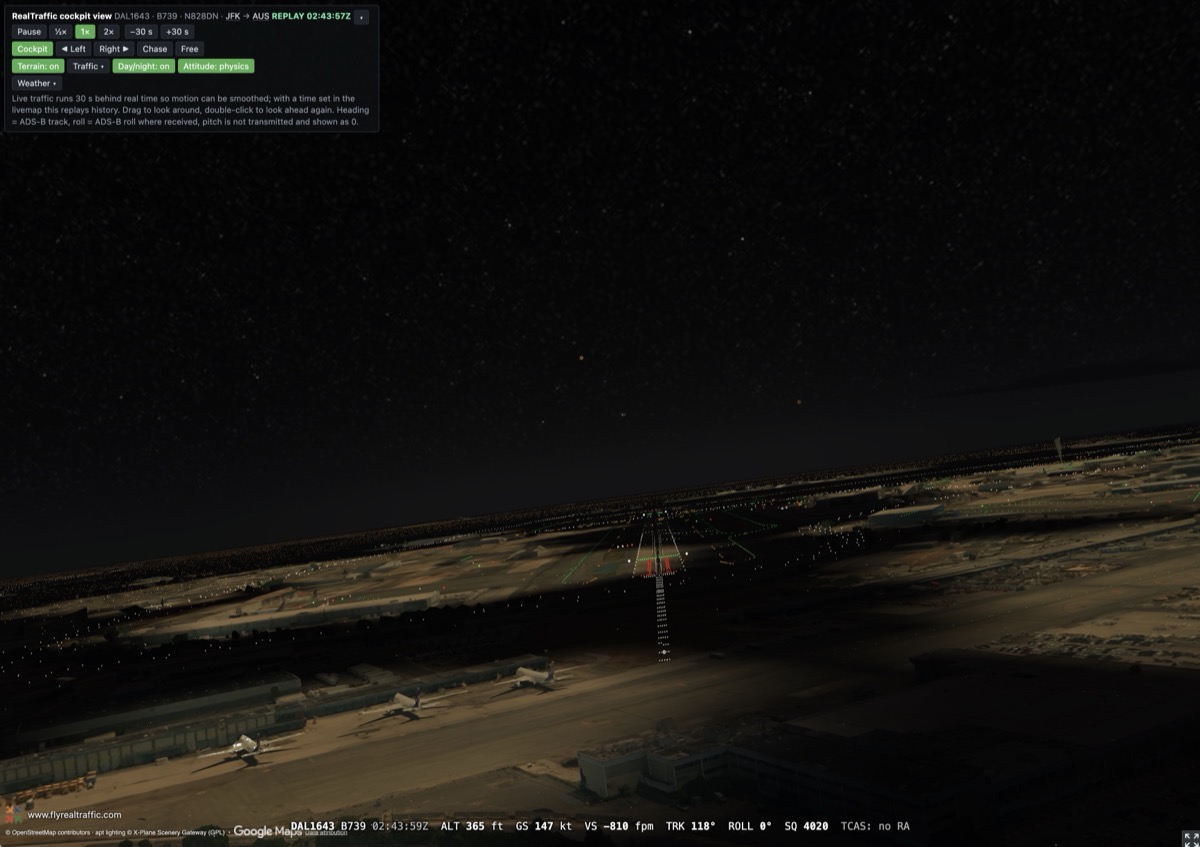
Short final into JFK at 365 feet, a real 737 at 02:43Z.
The cockpit view is a Pro feature.
And then take it apart
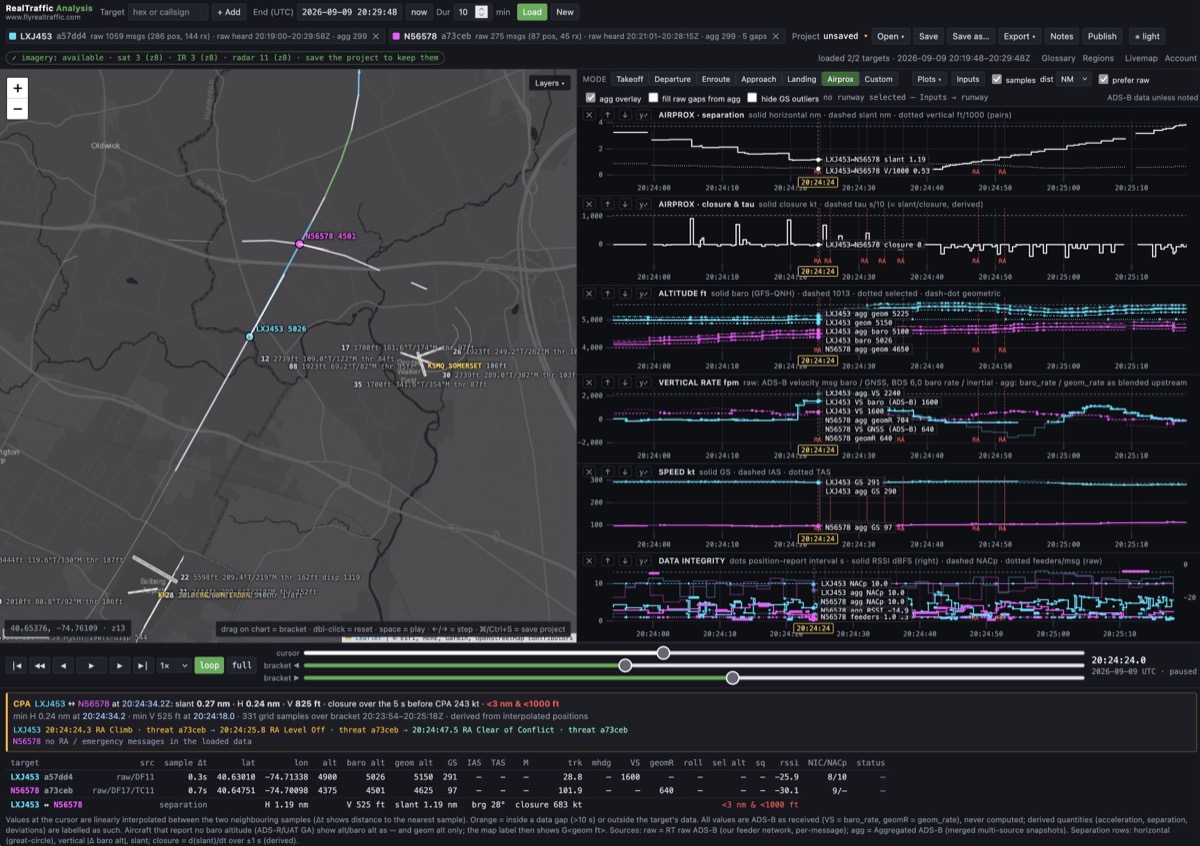
An RA encounter opened from the map: separation, closure and time-to-CPA, altitudes, vertical rates, speeds and data integrity for both aircraft.
The Analyse link next to an advisory opens both aircraft in the Flight Analysis Workbench, already bracketed on the moment of the advisory.
From there you get separation and closure rate, time-to-CPA, altitudes from every available source, vertical rates, speeds, and the data quality of every single position report. Or point it at one flight instead and get takeoff and landing performance, ILS deviation, touchdown detection and speed outliers. Archived satellite and radar imagery drops in underneath the tracks so you can see the weather that was actually there. There is a 3D situation viewer, KMZ export for Google Earth, and a publish button.
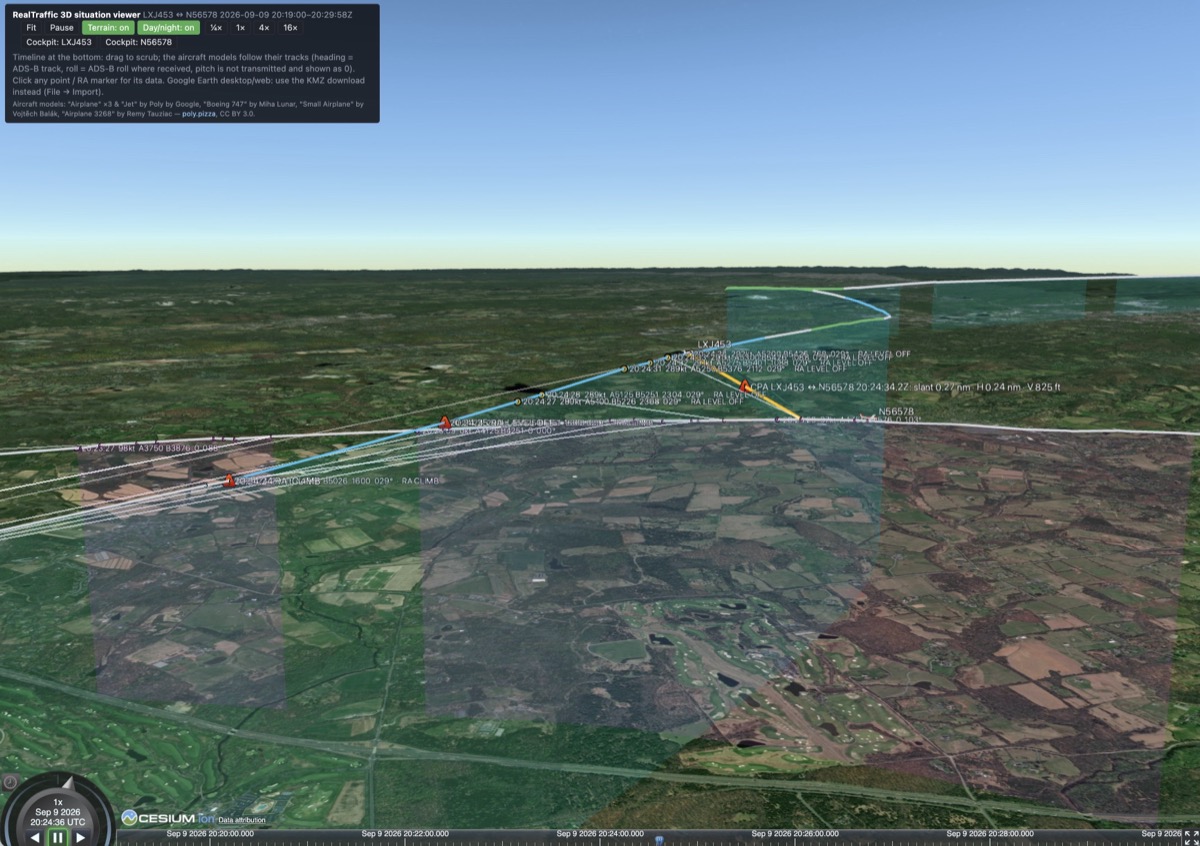
And in 3D, with the closest point of approach marked on both tracks.
It does not need an advisory, either. The Analysis link is in every aircraft popup on the map and works for any flight at all. On Sunday 6 September an Amazon Air freighter ran off the end of runway 30 in Miami; here is the landing analysis I made of it - approach, touchdown point, deceleration along the runway - published as a page that anyone can open, with or without a RealTraffic account: the Miami overrun analysis. That is the publish button at work: once you have made an analysis, one click turns it into a read-only page you can hand to anyone.
The workbench is a Pro feature.
If you are on Standard and want the Pro half
Two ways to get there. You can upgrade from your dashboard at any time and only pay the difference for the time you have left.
Or you can feed. If you run an ADS-B receiver and send its data to RealTraffic, your paid Standard subscription is upgraded to Professional at no cost for as long as you keep feeding - cockpit view, workbench, radar, satellite, the lot. And if you are already feeding, thank you, sincerely: community feeders give me the best low-altitude and small-airport coverage I have anywhere, and every antenna makes the map better for everybody. The Feeder page in your account has your feeder ID and the one line of configuration that a Raspberry Pi setup needs. If you have never built a receiver and fancy it, hit reply - I am happy to help you pick the hardware.
More over the next few weeks
There is far too much here for one email, so I will take these apart one at a time over the coming weeks: the weather stack first, then the cockpit view, then the workbench - with a real analysis published for you to open and play with yourself.
And thank you. I do not say this often enough: RealTraffic has no investors, no ads and no venture money behind it. Your subscription is the entire reason the traffic data gets bought, the servers stay up and I get to spend months building things like this instead of doing something sensible. If you find a bug, or something feels wrong, hit reply - it is me on the other end, and I read every one.
If you have questions, support@flyrealtraffic.com reaches me too.
A reminder worth repeating: these newsletters are also how important service news reaches you - changes affecting your setup, your subscription or the API - and there is no other channel for that. I send them once, at most twice a month. Adding news@flyrealtraffic.com to your contacts usually keeps them out of the spam folder.
And if you would rather not hear from me at all, please do not mark this as spam - just unsubscribe and you will never hear from RealTraffic again, promise. It does mean you will miss service announcements too, so only do it if you really mean to.
Happy landings!
Balthasar